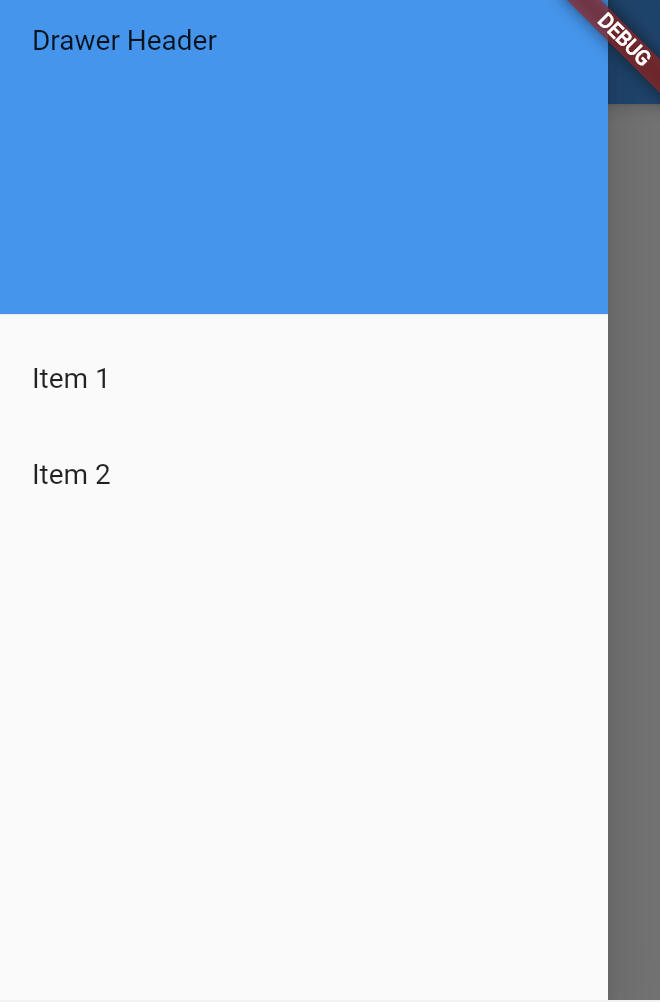
Flutterでのドロワーメニューの実装方法に関するメモ
1.Scaffoldの作成
Scaffold(
  drawer: // 次のステップで Drawerウィジェットを追加
);
2.Drawerウィジェットを追加
Scaffold(
  drawer: Drawer(
    child: //次のステップでデータを追加
  ),
);
3.Drawerウィジェットにコンテンツを追加
Scaffold(
  drawer:   Drawer(
  child: ListView(
    padding: EdgeInsets.zero,
    children: [
      DrawerHeader(
        child: Text('Drawer Header'),
        decoration: BoxDecoration(
          color: Colors.blue,
        ),
      ),
      ListTile(
        title: Text('Item 1'),
        onTap: () {
          // Update the state of the app.
          Navigator.pop(context);
        },
      ),
      ListTile(
        title: Text('Item 2'),
        onTap: () {
          // Update the state of the app.
          Navigator.pop(context);
        },
      ),
    ],
  ),
);
実行
参照)
https://flutter.dev/docs/cookbook/design/drawer